Scenario Experience

Join CommunityConnect with users →
Join AskTable Community


Feishu
Choose your preferred way to join

Contact UsGet professional support →


Alibaba Cloud OffersScan for offers →

Scenario Experience
Feishu
Choose your preferred way to join
How to query your own database or Excel inside Coze (扣子)

Coze is a platform for building LLM-powered apps quickly—even without programming—and publishing them to channels or integrating via API/SDK.
https://www.coze.cn/open/docs/guides
“We have a MySQL database—how do I query it from Coze?”
“I want a plugin to query Excel—is there a guide?”
Here it is.
We walk through the AskTable plugin in bots, chat flows, and workflows so AI can query tables and files.
Open Coze (coze.cn), create a bot, and fill in basic info.
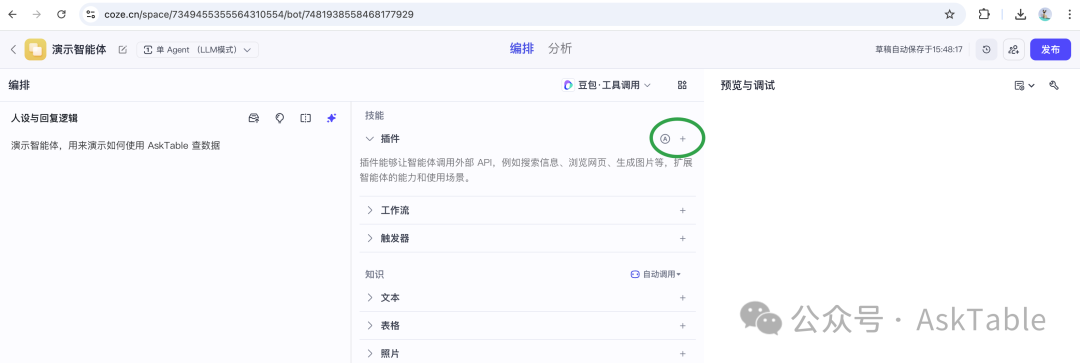
In the bot editor, open Plugins, then add a plugin.
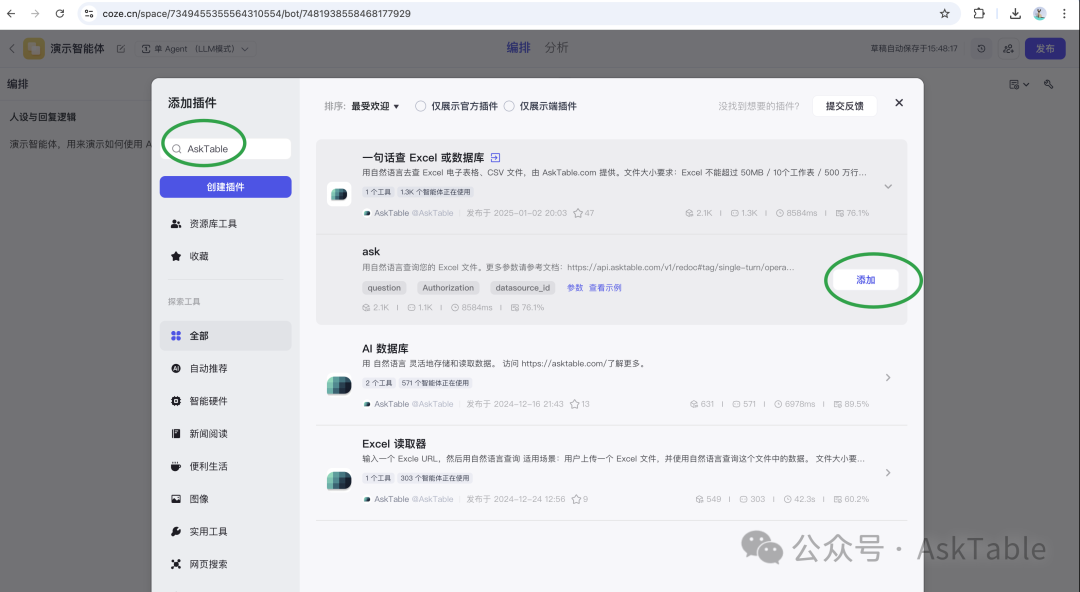
Search for AskTable and add:
One-sentence Excel or database query
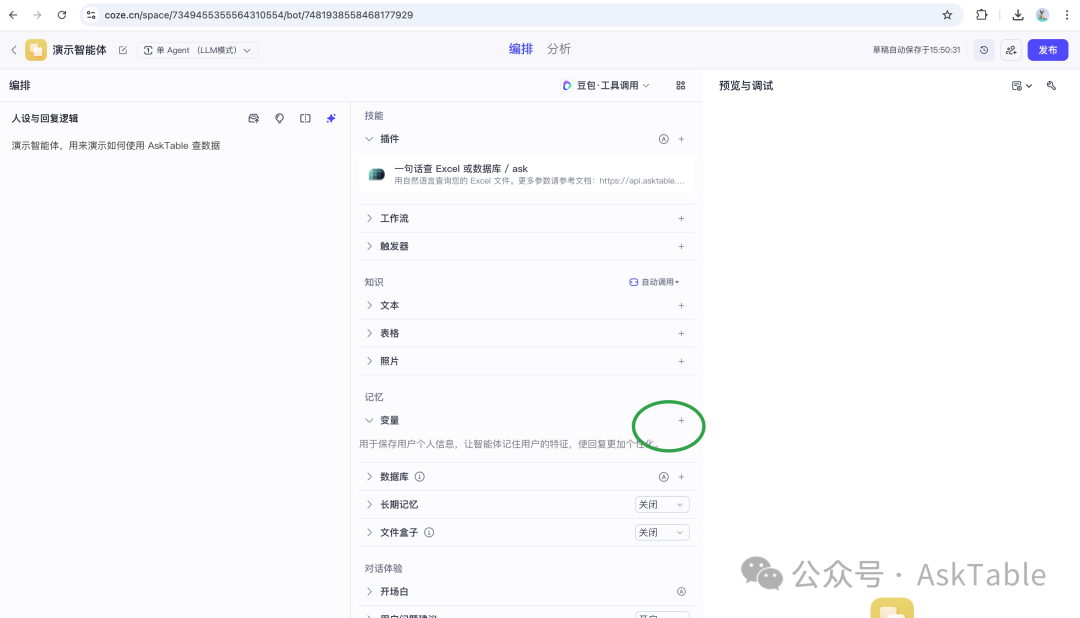
Under Variables, add:
at_auth – API key
Bearer ASKER_XXXXXXat_ds_id – datasource ID (e.g. ds_XXXX).
In the plugin’s Parameter:
at_authat_ds_id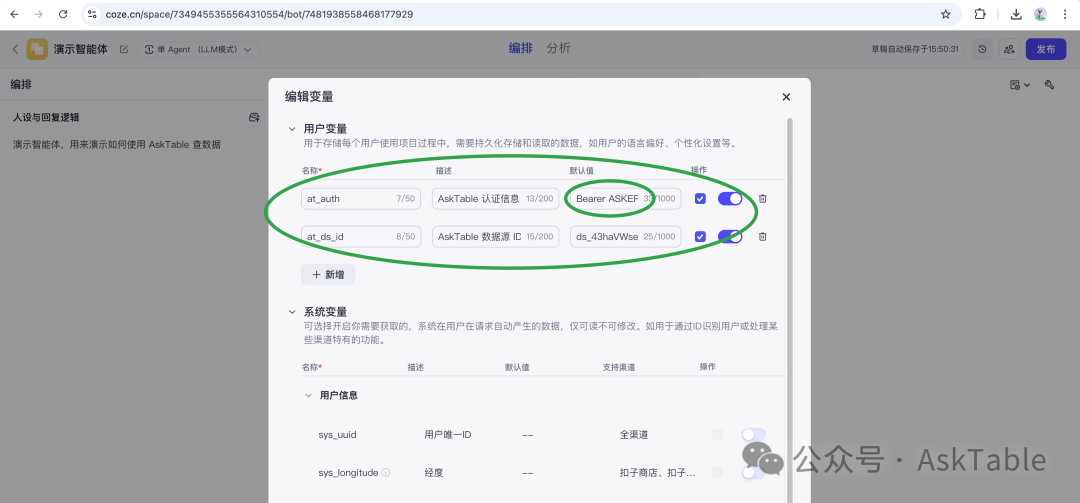
Try:
“Who had the highest sales?”
If you get a sensible answer, the plugin is wired correctly.
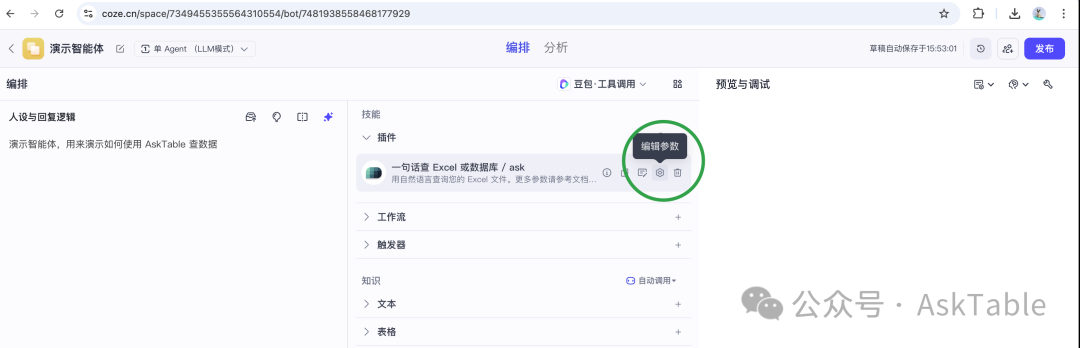
Add the same plugin and set:
Bearer ASKER_XXXXXX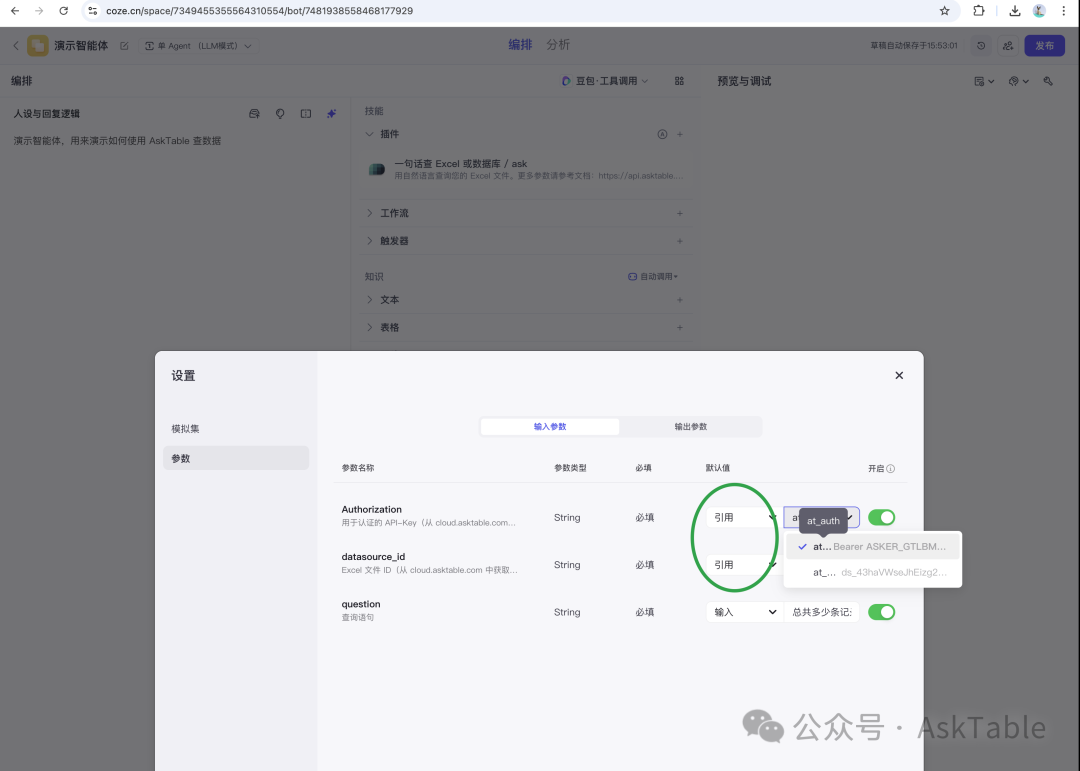
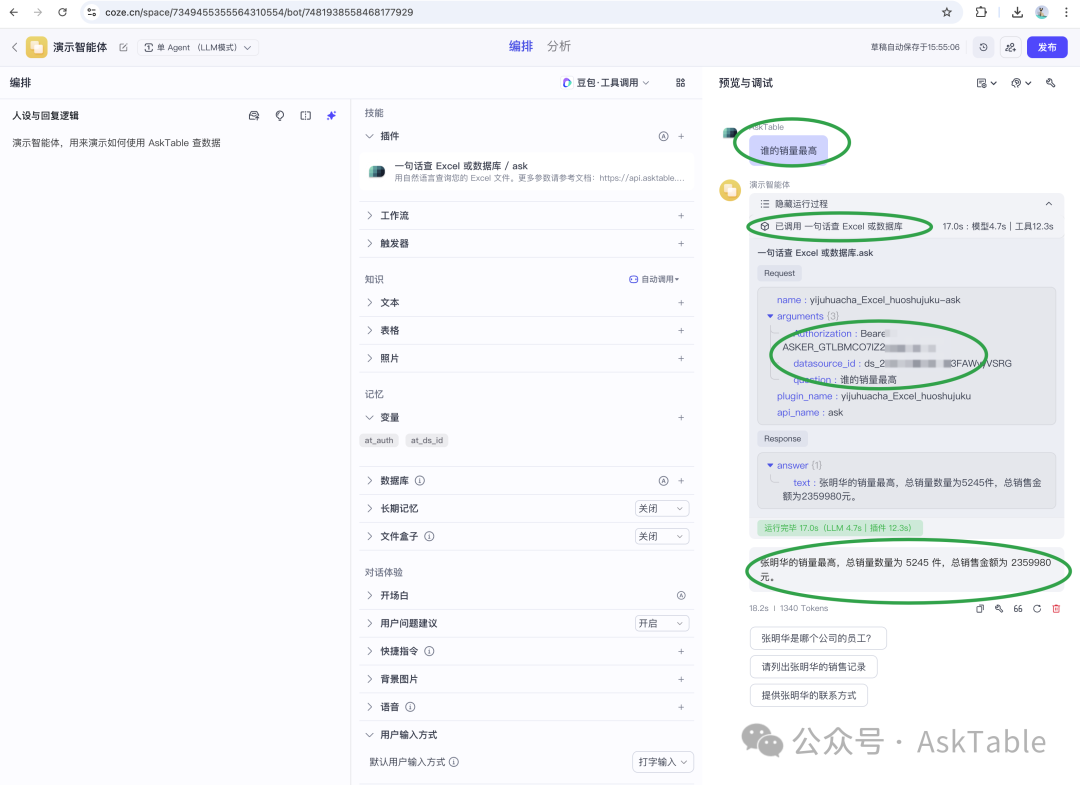
Try the AskTable plugin and give your Coze bot serious data access.
Need help? Scan to join the community:

No coding required. Ask questions in natural language and AI generates SQL queries and visualizations automatically.
Start your free trial now and experience AI-powered data analysis with AskTable.

