Scenario Experience

Join CommunityConnect with users →
Join AskTable Community


Feishu
Choose your preferred way to join

Contact UsGet professional support →


Alibaba Cloud OffersScan for offers →

Scenario Experience
Feishu
Choose your preferred way to join

"Can I directly query my company's database in a Feishu group?"
✨ Of course!
Now, with just
🚀 AskTable + Coze
you can have the bot accurately answer your business questions in the group!
✅ Step 1: Configure Your Database (AskTable)
1️⃣ Log in to the AskTable website (https://asktable.com/)
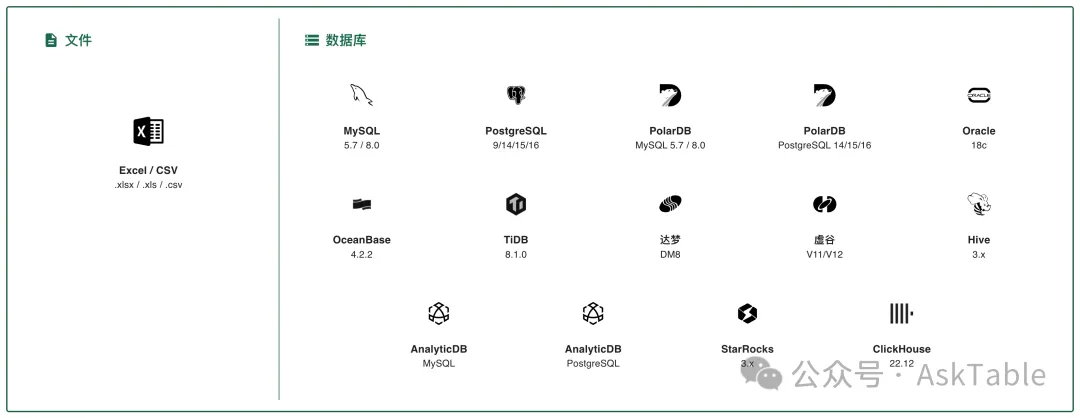
2️⃣ Create a database connection, copy the data source ID after successful configuration (format: ds_xxxx)
👉 Supported data sources:
•MySQL
•PostgreSQL
•Alibaba Cloud RDS
… and other mainstream databases 💪
🤖 Step 2: Create and Configure Your Agent (Coze)
You can refer to the tutorial below for quick setup:
How to Query Your Database or Excel in Coze
The agent name created here is: AskTable Assistant 🧑💼
(You can modify it based on your actual situation)
📲 Step 3: Publish to Feishu
1️⃣ Click [Publish], select [Feishu Platform]
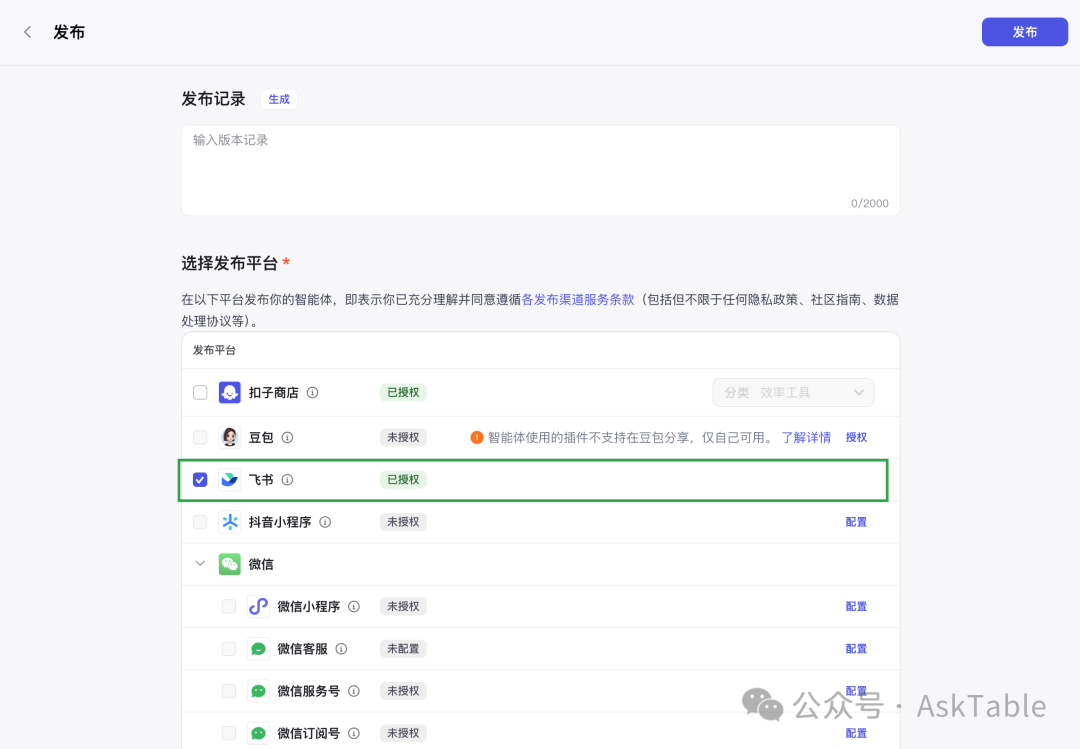
2️⃣ Follow the prompts to invite an admin for approval
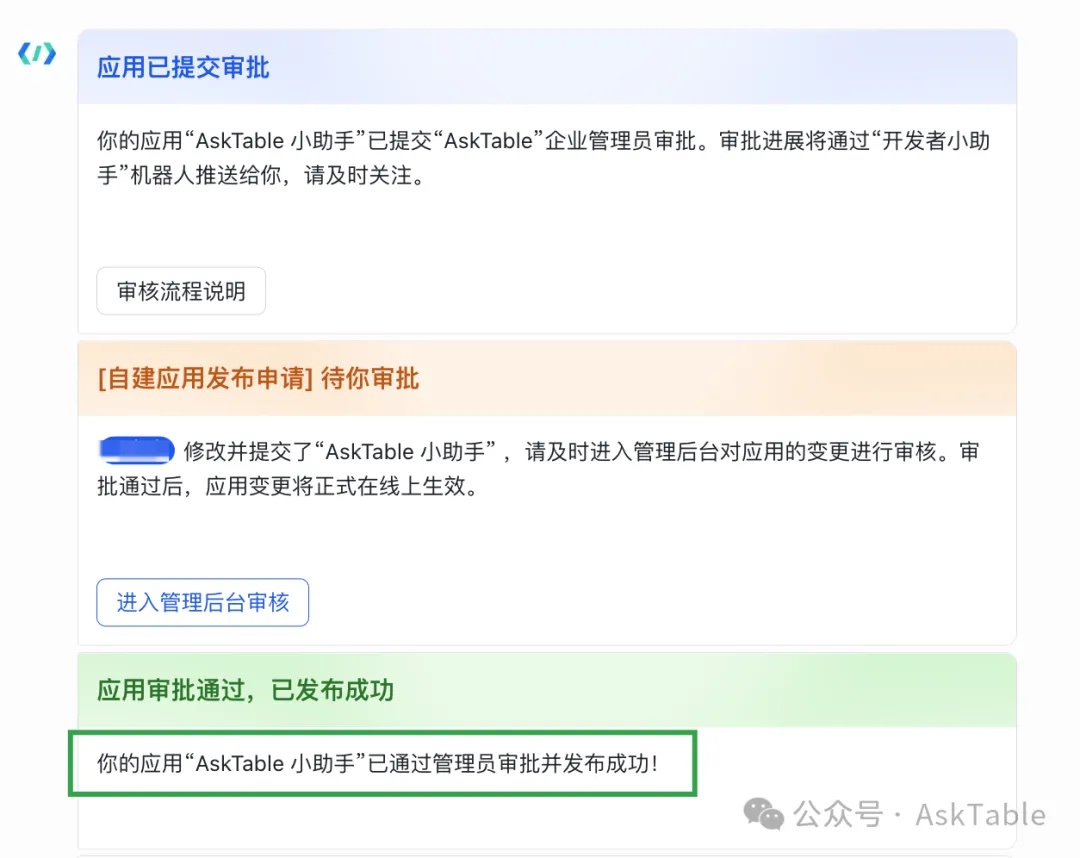
3️⃣ After approval, your bot is ready to use on Feishu! 🎉
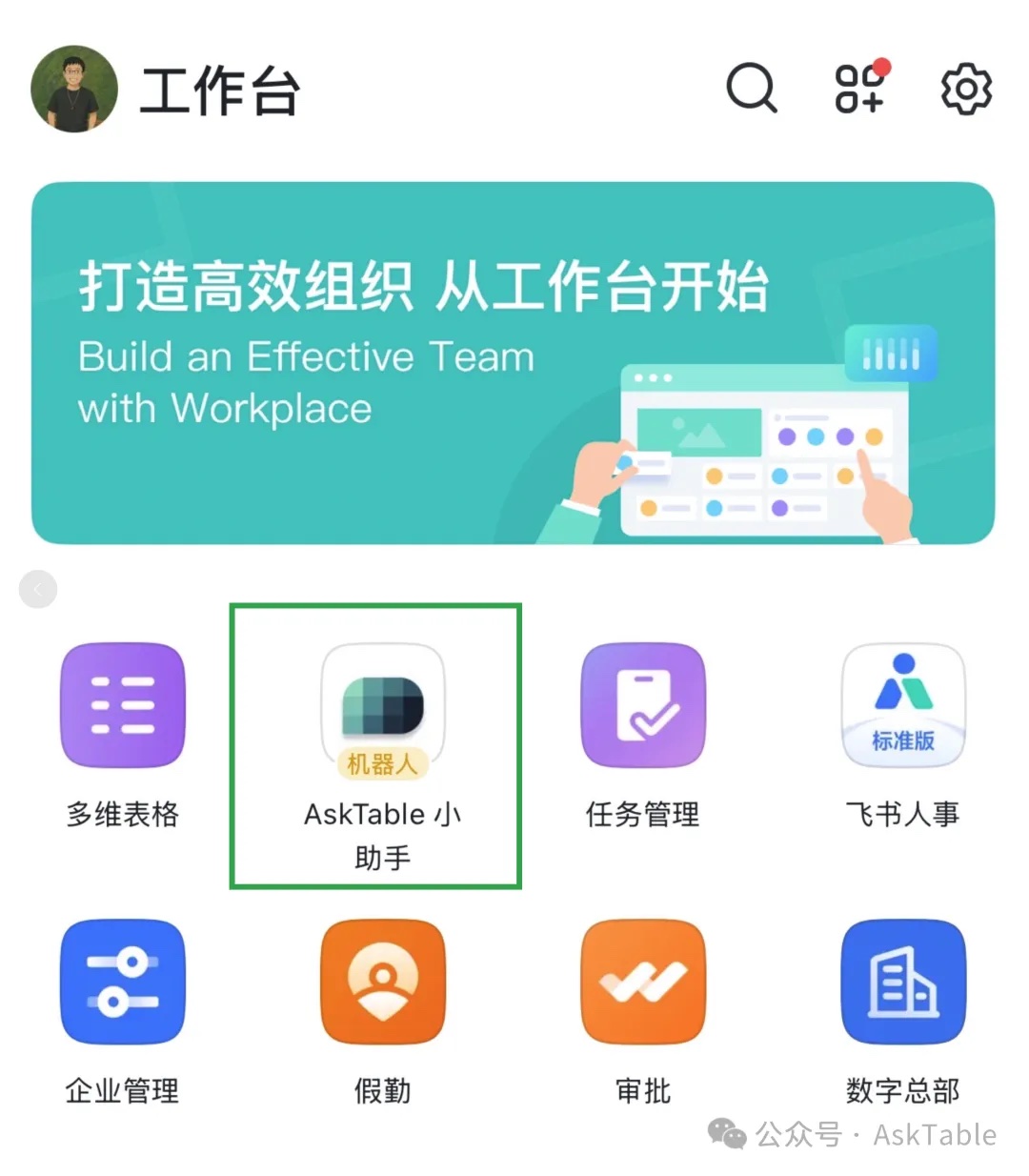
👥 Step 4: Add the Bot to a Group
1️⃣ Open Feishu group → Settings → Group Bots → Add Bot
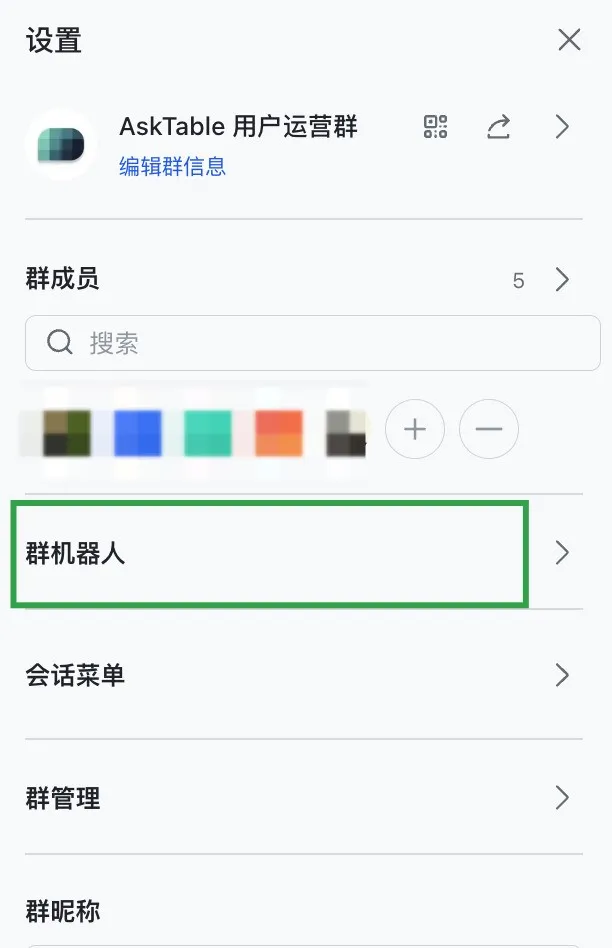
2️⃣ Search for the agent name you just created, click to add
3️⃣ Done! Now you can ask directly in the group:
🗣️ "When did Zhang San register?"
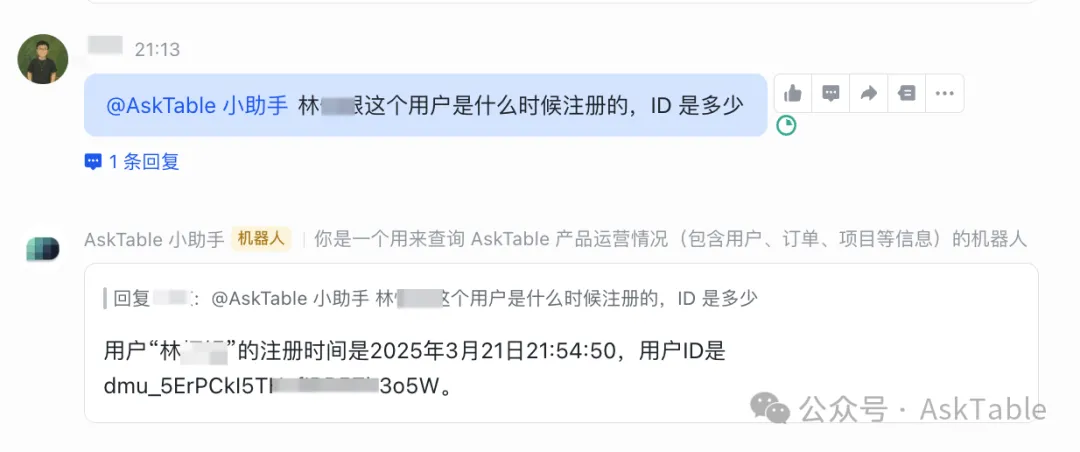
Or ask "Usage statistics for recent days?"
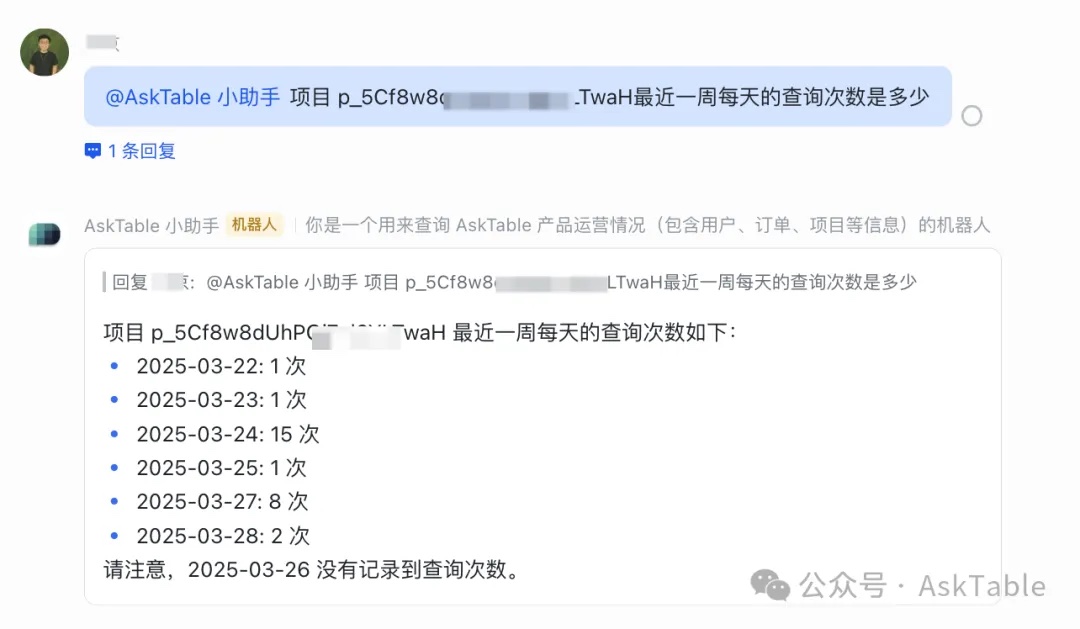
The bot will connect to the database 🔗 and automatically return results 📊!
📌 Fast, accurate, and easy to use,
making database queries as easy as chatting! 🧠💬
No SQL knowledge needed to easily query business data! ✨
Supports user-based authorization, ensuring data security 🔐
No coding required. Ask questions in natural language and AI generates SQL queries and visualizations automatically.
Start your free trial now and experience AI-powered data analysis with AskTable.

